
Interior design ideas tools have changed how people plan and execute home projects. Whether someone is redesigning a single room or overhauling an entire house, these digital resources save time, money, and frustration. The right software can turn a vague concept into a clear visual plan before any furniture gets moved or paint gets purchased.
This guide covers the most useful categories of interior design ideas tools available today. From room planners to color selectors, each type serves a specific purpose in the design process. Understanding what each tool offers helps users pick the best options for their particular project needs.
Table of Contents
ToggleKey Takeaways
- Interior design ideas tools help you visualize room layouts, test color options, and plan renovations before spending money on furniture or materials.
- Room planning software like Planner 5D and RoomSketcher lets you experiment with furniture placement using accurate dimensions to avoid costly sizing mistakes.
- 3D visualization tools such as SketchUp and HomeByMe create photorealistic renders that reveal how design choices will look before you commit.
- Color selection apps from Benjamin Moore and Sherwin-Williams allow you to virtually paint your actual rooms to see how colors interact with existing lighting and furniture.
- Mood board platforms like Pinterest and Canva help you define your design direction and prevent impulse purchases that don’t fit your vision.
- Match your interior design ideas tools to your project scope—use basic room planners for simple rearrangements and invest in 3D software for major renovations.
Room Planning and Layout Software
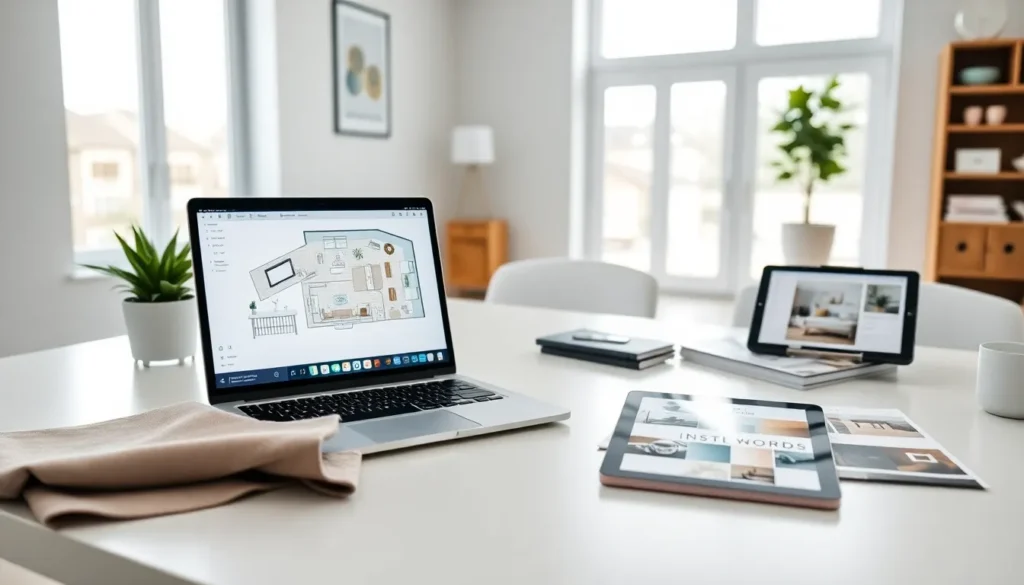
Room planning software lets users create accurate floor plans and experiment with furniture placement. These interior design ideas tools work by allowing users to input room dimensions and then drag and drop furniture, fixtures, and decor items into the space.
Popular options include:
- Planner 5D – Offers both 2D and 3D views with an extensive furniture catalog
- RoomSketcher – Provides professional-quality floor plans with measurement tools
- Floorplanner – Features a user-friendly interface ideal for beginners
- SmartDraw – Works well for those who need precise architectural drawings
These tools solve a common problem: buying furniture that doesn’t fit. Users can test different arrangements without lifting a single piece of furniture. Many apps include real furniture dimensions from actual retailers, which adds practical value to the planning process.
Most room planning software offers free basic versions. The paid tiers typically unlock features like high-resolution exports, larger furniture libraries, and collaboration options. For casual home projects, free versions usually provide enough functionality.
3D Visualization and Rendering Tools
3D visualization tools take interior design ideas tools to another level. They create photorealistic images of spaces that don’t yet exist. This technology helps users see exactly how their design choices will look before committing to purchases.
SketchUp remains a favorite among both professionals and DIY enthusiasts. Its learning curve is moderate, but the results justify the effort. Users can build detailed room models and apply textures, lighting, and materials.
HomeByMe offers a simpler approach with automatic 3D rendering. Users create floor plans that instantly convert to walkthrough-ready 3D spaces. The tool includes thousands of real brand products, so users can see how specific items look in their rooms.
Foyr Neo targets professional designers but remains accessible to motivated amateurs. It generates high-quality renders quickly and includes a massive library of design assets.
These interior design ideas tools prove especially valuable for major renovations. Seeing a kitchen remodel in 3D before demolition begins can prevent costly mistakes. Users often discover that their initial ideas need adjustment once they see them rendered realistically.
Color Palette and Material Selection Apps
Color selection trips up many DIY designers. What looks perfect on a small paint chip can overwhelm a full wall. Interior design ideas tools focused on color help users avoid these expensive mistakes.
Benjamin Moore Color Portfolio and Sherwin-Williams ColorSnap let users virtually paint their rooms. Users upload photos of their actual spaces and apply different paint colors. This approach shows how specific shades interact with existing furniture and lighting conditions.
Coolors generates color palettes from scratch or extracts them from uploaded images. Designers use this tool to build cohesive color schemes across multiple rooms.
Adobe Color offers advanced palette creation with color theory principles built in. Users can create complementary, analogous, or triadic schemes with a few clicks.
Material selection tools like Material Bank and Houzz help users compare flooring, countertops, and fabric options. Many of these platforms offer physical sample ordering, bridging the gap between digital planning and real-world materials.
These interior design ideas tools reduce the guesswork in color and material decisions. Testing options digitally costs nothing compared to repainting a room or replacing flooring that doesn’t work.
Mood Board and Inspiration Platforms
Before detailed planning begins, most designers gather inspiration. Mood board tools help organize visual ideas into cohesive concepts.
Pinterest dominates this category. Its visual search function finds similar images to any pin, making it easy to build collections around specific styles. Users can create boards for each room or design element.
Canva provides drag-and-drop mood board templates. Users combine images, color swatches, text notes, and material samples into polished presentations. This works well for sharing ideas with partners, contractors, or clients.
Milanote offers a flexible canvas approach. Users can arrange images, notes, and links freely, creating mood boards that reflect their thought process. The tool works particularly well for complex projects with many moving parts.
Morpholio Board targets design professionals but offers features useful to anyone. Its Cut-out tool isolates furniture from images, and its Moodboard Pro features allow precise arrangement and scaling.
These interior design ideas tools serve an important early-stage function. They help users define what they actually want before spending money. A clear mood board prevents impulse purchases that don’t fit the overall vision.
Choosing the Right Tool for Your Needs
Not every project needs every type of interior design ideas tools. Matching tools to project scope saves time and prevents overwhelm.
For simple room rearrangements: A basic room planner like Floorplanner or Planner 5D provides enough functionality. These tools answer the fundamental question of whether furniture fits and flows well.
For color updates: Paint brand apps from Benjamin Moore or Sherwin-Williams offer the most practical value. They connect directly to purchasable products.
For major renovations: Invest time in learning a 3D tool like SketchUp or HomeByMe. The upfront effort pays off when making decisions about layouts, materials, and fixtures.
For design direction: Start with Pinterest and Canva to clarify preferences before moving to technical tools.
Budget matters too. Free interior design ideas tools handle most residential projects adequately. Professional-grade software makes sense for designers working with clients or homeowners undertaking extensive renovations.
Device compatibility deserves consideration. Some tools work best on desktops, while others offer strong mobile apps. Users who want to plan while physically in a space should prioritize mobile-friendly options.